I’m sharing a ready-to-use Call of Duty: Mobile keyboard and mouse Profile for LaiCai Screen Mirroring. It includes two mapping layers and covers the essential controls for movement, aiming, combat, equipment, and common in-game actions.
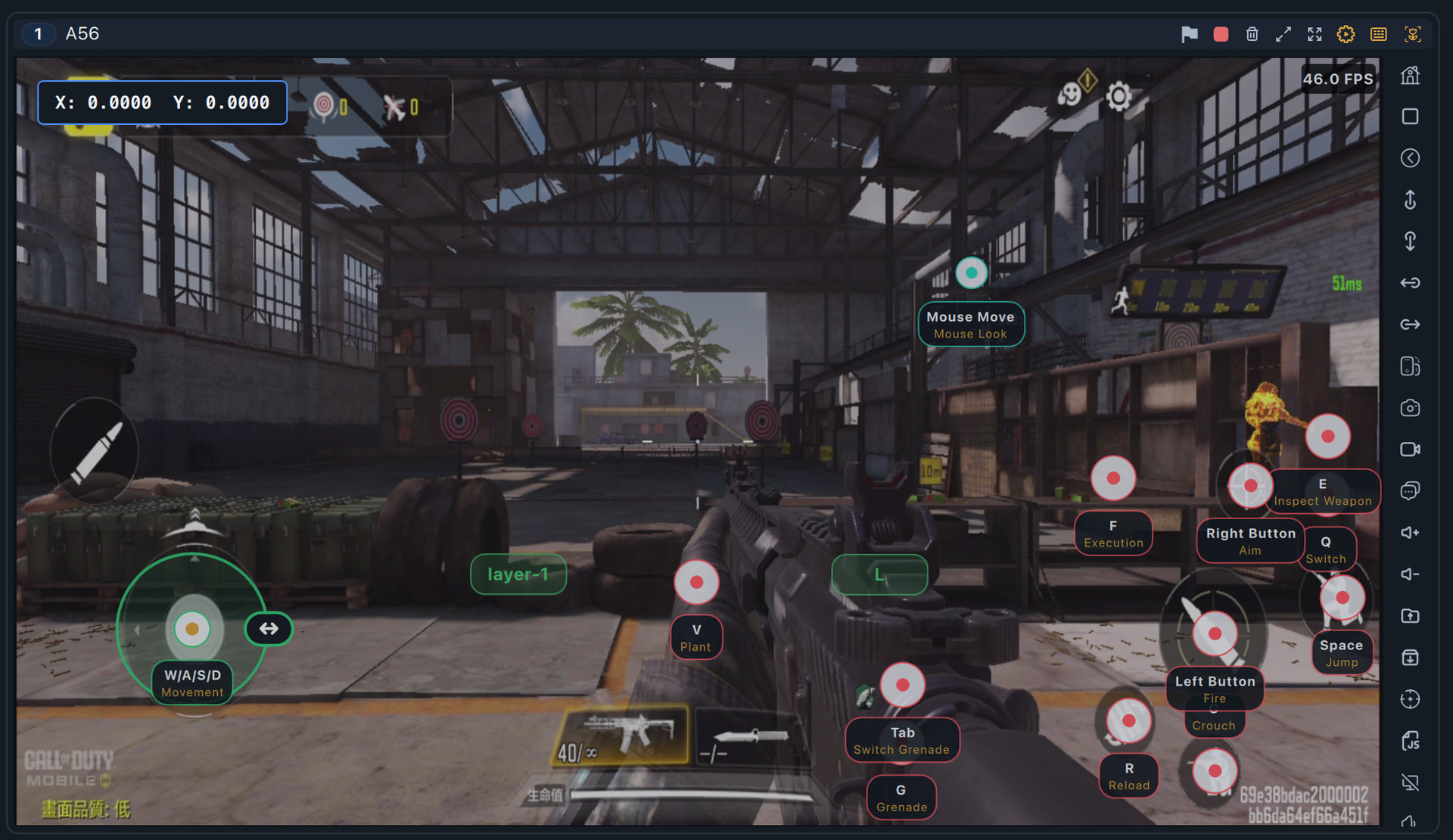
Key mappings included
- Movement and camera: W/A/S/D for movement, mouse movement for camera control, and Esc to release the mouse pointer
- Combat: Left Mouse Button to fire, Right Mouse Button to aim, R to reload, and Mouse Wheel Down to switch weapons
- Basic actions: Space to jump, C to crouch, E to inspect the weapon, F for execution, and V to plant
- Grenades: G to use a grenade and Tab to switch grenades
- Additional action: Q for the mapped switch action
Download and install
Profile file: codm.json (46.0 KB)
- Download the Profile file above.
- Save it to:
Documents/LaiCai/KeyMap/profiles - Open LaiCai Screen Mirroring and load the Profile from Key Mapping.
Call of Duty: Mobile control layouts may vary by device, game mode, and in-game settings. After importing the Profile, adjust each mapping point to match the button positions in your own layout. I recommend testing the controls in Training Mode before entering a match.
For more instructions, see the full guide: How to Configure Key Mapping
If you have any questions, leave a reply below.